 Client work2026
Karaman Restaurant
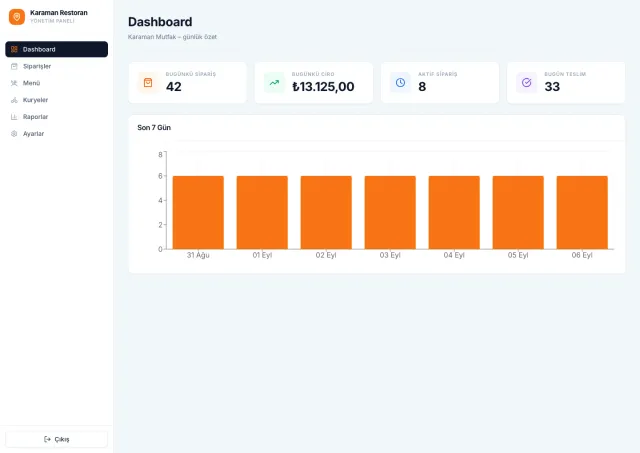
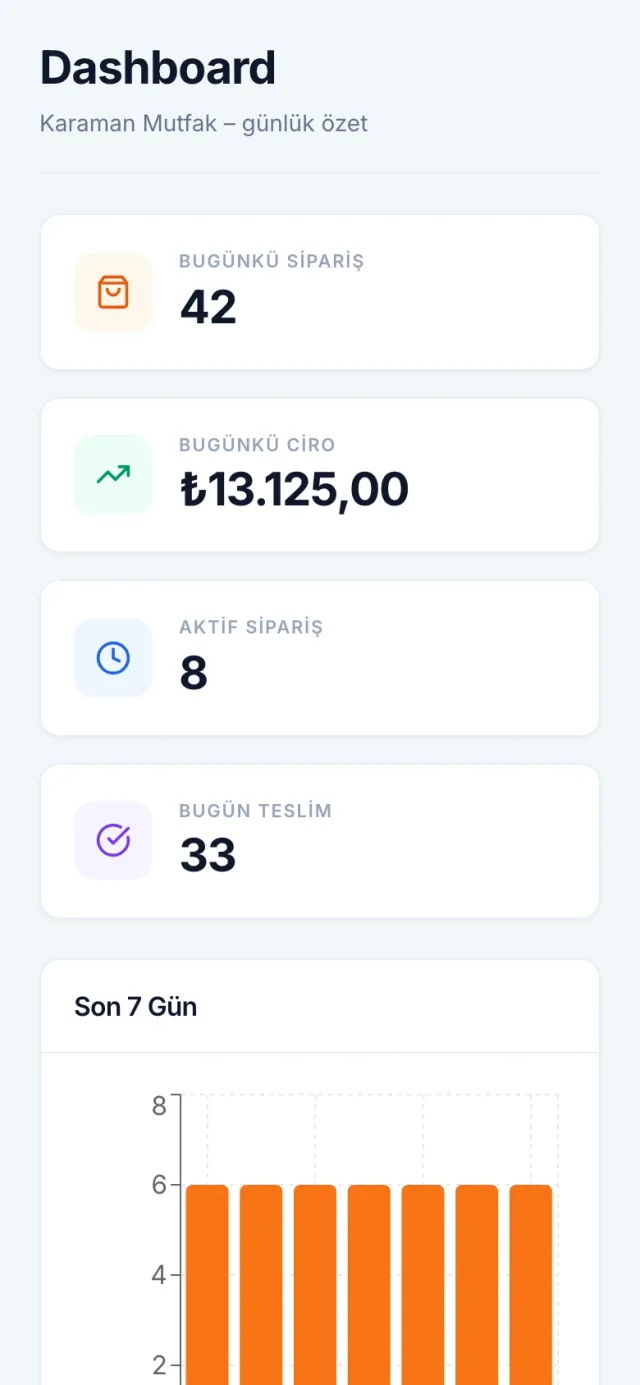
A restaurant dashboard for menus, orders and courier operations.
- Project
- Karaman
- Our role
- Design · Development · Panel
- Platforms
- Web · iOS · Android
01 / Behind the product
How we built Karaman Restaurant
Challenge
If a new order goes unnoticed in the kitchen the customer waits; if menu, couriers and delivery zones are kept in separate places the operation falls apart. The restaurant panel had concrete, field-reported asks: an order sound, receipt printing and zone drawing.
Approach
Orders, menu, couriers, reports and settings are separated by task. New and pending orders are tracked through a realtime subscription plus a 15-second poll, with a button that enables the browser’s audio permission. Order detail offers 58 / 80 mm receipt printing with items, variants, notes, address, payment and total. Delivery zones are drawn by adding points, undoing and editing the existing polygon, with the server validating a proper Polygon. Approve and reject transitions run under RLS for the authorised role with a single history record; commission is computed on the order total.
Result
A panel dedicated to restaurants within the Karaman.com ecosystem; the customer mobile app and the central admin panel share the same Supabase project. The September 2026 release closed nine items of client feedback.
02 / Inside the product
Karaman Restaurant screenshots
Open a screen to explore the details.02 images
03 / Scope & details
Karaman Restaurant key features
- 01
Menu and product management
- 02
Order and courier tracking
- 03
Operations overview and reports
Technology
Next.js / Supabase
PART OF KARAMAN RESTAURANT · APP
Karaman Mobile
City news, local discovery and food ordering in one mobile experience.
Challenge
Karaman.com already had user accounts, restaurants and an API; the mobile app had to deliver the city portal and food ordering in one experience without rebuilding any of that. The client would build for the stores from their own Expo and Firebase accounts, so no secret could live in the source.
Approach
A monorepo: an Expo SDK 55 app plus shared packages (API client, types, utilities). A bridge Edge Function maps the karaman.com JWT to a Supabase profile while keeping the site’s real email. Ordering supports iyzico, Garanti POS and cash on delivery; a successful online payment does not count as restaurant approval, so orders start as pending. Delivery zones are validated server-side as PostGIS polygons and commission is computed on the order total. Push reaches guests too, through account-independent device registration and category preferences. The production profile refuses to build with mock data.
Result
Delivered in September 2026 with source, setup instructions and server release notes; the restaurant and admin panels share the same Supabase project. News, tourist places, on-duty pharmacies, weather and transport schedules on the city side; restaurants, order tracking and campaigns on the ordering side.
App
Karaman Mobile screenshots
Open a screen to explore the details.02 images
App
Karaman Mobile key features
- 01
An identity flow bridging Karaman.com accounts
- 02
iyzico, Garanti POS and cash on delivery
- 03
Delivery zones validated with PostGIS
- 04
Push that reaches guests; weather, on-duty pharmacies, transport schedules
Technology
The identity bridge
The bridge-session Edge Function validates the karaman.com JWT and maps it to a Supabase profile; the site’s real email is used and synthetic profile emails were cleaned up. No Karaman API key lives in the app; calls go through karaman-proxy.
Payment and order state
create-order opens the order as pending; iyzico-webhook and garanti-webhook process payment without standing in for restaurant approval. Status transitions are bound to the authorised role and a single history record, verified by a local database test under the restaurant role.
Delivery zones and commission
Zones live in PostGIS through the geography_helpers and delivery_zone_rpc migrations, with the server validating a proper Polygon. Commission is a rate on the order total (200 TL × 10% = 20 TL), with a correction migration for pending commissions.
PART OF KARAMAN RESTAURANT · WEB
Karaman Yönetim
A central dashboard for the city platform’s content, users and restaurant operations.
Challenge
Running a city platform requires visibility across content, users, restaurant operations and city services. There were concrete asks such as matching existing site accounts with mobile accounts and pushing notifications even to guest users.
Approach
Administration screens are separated by task: restaurants (creation and an edit screen that loads existing data), users, orders, commissions, campaigns, ad banners, comment moderation, payment settings, app versions and reports. City services have their own sections: transport schedules, ATMs, charging stations, water fountains. Push goes to registered and guest segments by category preference, with duplicate and stale tokens pruned. The identity bridge uses the site’s real email; expired or inactive banners are not shown on mobile.
Result
The central administration workspace behind the Karaman.com mobile experience; restaurants get their own operations panel as a separate interface in the same product family. The September 2026 release added a mobile hamburger menu and horizontal-overflow fixes to both panels.
Web
Karaman Yönetim screenshots
Open a screen to explore the details.02 images
Web
Karaman Yönetim key features
- 01
Restaurant, user, order and commission management
- 02
Campaigns, ad banners, comment moderation
- 03
Push to registered and guest segments
- 04
City services such as transport, ATMs, charging stations and fountains
Technology
Your idea could be next.
What could we build for you?
From a first release to a growing platform. Let’s plan the design, development and launch together.
From Türkiye to the US, UK, Australia and everywhere in between.